Wilson.ai Agents: three AI agent use cases in the machinery sector
With Wilson.ai Agents, you can configure specialized AI Agents, each trained to address a specific need in your production.
03 Mar 2026
Edited by 40Factory
What AI Agents are and how they are used in industry
In an industrial context, AI Agents are systems designed to automate complex or repetitive tasks within structured processes. They can handle activities such as recurring data analysis, sending notifications and emails, generating reports, or connecting different systems.
When integrated into daily workflows, AI Agents help teams work faster and more effectively, taking care of tasks that would normally require specific expertise or a significant amount of time. For example, they can detect anomalies on a production line or compare parameters across different machines in real time, without the need for constant human supervision.
Some use cases in manufacturing
But how does all of this work in practice? In manufacturing plants, challenges come in many forms. You may need to identify the optimal production recipe, keep track of critical components that could fail at any moment, or analyze historical data to understand why current performance differs from the norm.
All these activities demand time, skills, and a high level of accuracy. This is exactly where Wilson.ai Agentscome into play. By configuring multiple agents, each focused on a specific goal, it becomes possible to reduce workload, speed up operations, and achieve more reliable results.
Injection molding
In one real-world application, an AI agent was configured to analyze two rubber injection molding machines producing the same product.
The goal was to compare the behavior of the two machines under the same production conditions, in order to understand why one was experiencing issues while the other was operating normally. The agent compared key telemetry data such as temperatures, pressures, and cycle times, along with alarm events and changes made by operators.
This made it possible to highlight operational differences between the two machines and identify the variables with the greatest impact on performance.
Thermoforming
In this case, the AI Agent was used to monitor the behavior of a cutting die during normal operation. The objective was to detect early signs of wear or stress before they could lead to machine failures or safety issues.
By periodically analyzing the die parameters and the applied load, the agent assesses whether operating conditions remain within normal ranges or if anomalies are starting to emerge.
When abnormal values are detected, the agent sends notifications to production managers, indicating the need for inspections or preventive replacement of the die. This approach enables timely interventions, reduces unplanned downtime, and ensures production continuity.
Aluminum extrusion
In this sector, the AI Agent was applied to the extrusion process of non-ferrous metals. It monitors critical parameters in real time during the billet heating phase, allowing potential issues to be identified before they impact product quality.
When deviations from optimal values are detected, the agent suggests adjustments to furnace parameters, helping reduce scrap and ensure consistent final product quality. At the same time, it performs a retrospective analysis of furnace exit temperatures, grouping the data by alloy type and billet length, and flags out-of-tolerance conditions while proposing targeted corrective actions.
How easy it is to configure Wilson.ai Agents and what they require
For Wilson.ai Agents to be truly effective in an industrial environment, they need the right conditions to operate: a clear objective, access to the right data, and the proper tools to carry out their task.
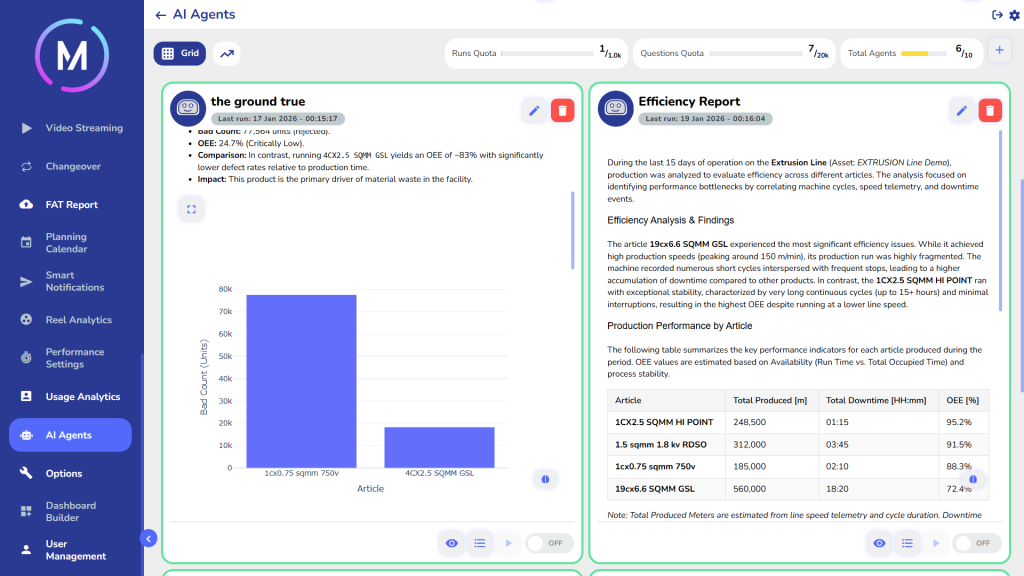
Two examples of Wilson.ai Agent analyses
The first ingredient: no code required
One of the main advantages of configuring a Wilson.ai Agent is that no coding is needed. The agent is set up through a simple configuration interface, where users define its goal by writing a natural-language prompt.
This means no programming skills are required. You only need to know what result you want to achieve.
The second ingredient: the intelligence of LLMs
AI Agents leverage the power of Large Language Models (LLMs). This is what makes them true “agents” and not just basic automations.
Thanks to LLMs, an agent can:
understand the request written in the prompt
build a reasoning process, even when it is complex
decide which tools to use and in what order
Starting from the assigned task, the agent independently defines a reasoning strategy and uses Tools, meaning the software functions that allow it to complete the required activity.
The key prerequisite is machine data
In manufacturing, there’s one fundamental point: an AI Agent can only work if it has access to well-organized industrial data coming directly from the production assets (i.e., the machines).
For this reason, it is essential to have an Industrial IoT platform that collects and organizes machine data. This is why Wilson.ai Agents operate within the MAT platform, which provides the agent with the context and the data it needs to work effectively.
A practical example
Let’s imagine we want to create an AI Agent with a simple prompt, for example: “Analyze the performance of the selected machines and send a daily report by email”.
With Wilson.ai Agents, all you need to do is:
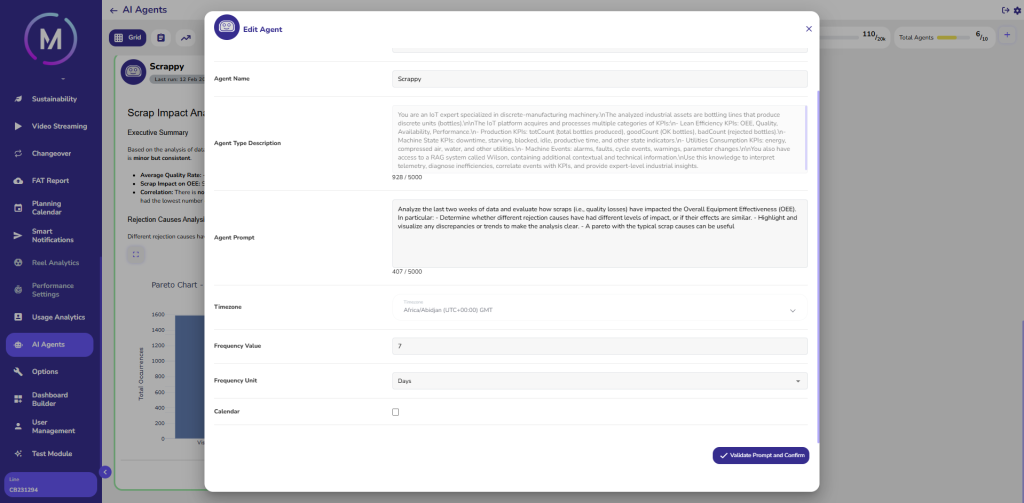
open the configuration window for the new agent
provide some context by defining its role, which machines it should work on, which data to use, and the objective
write the prompt
select which machines the agent should operate on, choosing from the assets already connected to MAT
Wilson.ai Agents configuration window
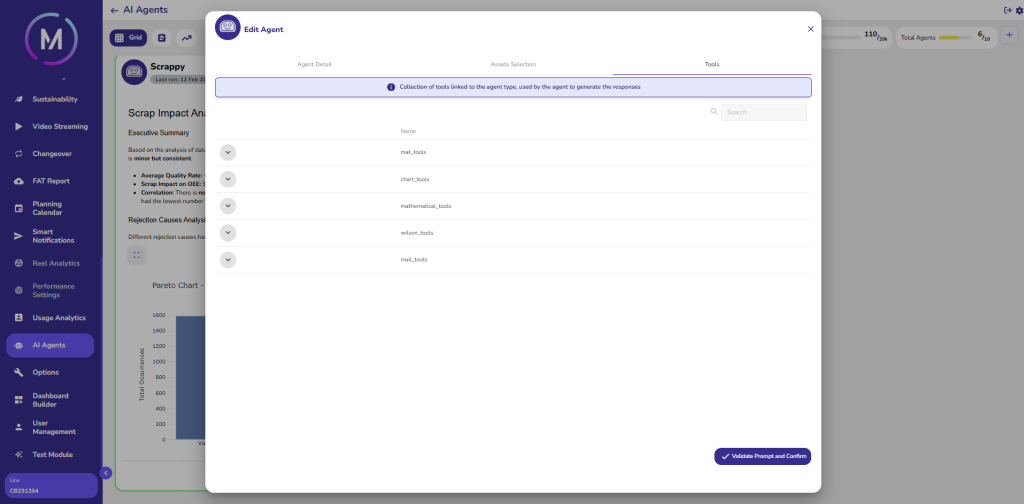
The agent already has access to all the Tools provided by 40Factory in the Tool Library, which include data analysis functions, historical comparisons, report generation, and notification sending.
At this point, you can also decide when the agent should run. For example, setting it to execute automatically every day.
Selecting Tools in the Tool Library
From task to final result
Once started, the agent performs the task and allows you to follow its reasoning directly from the interface, including the sequence in which it uses the Tools.
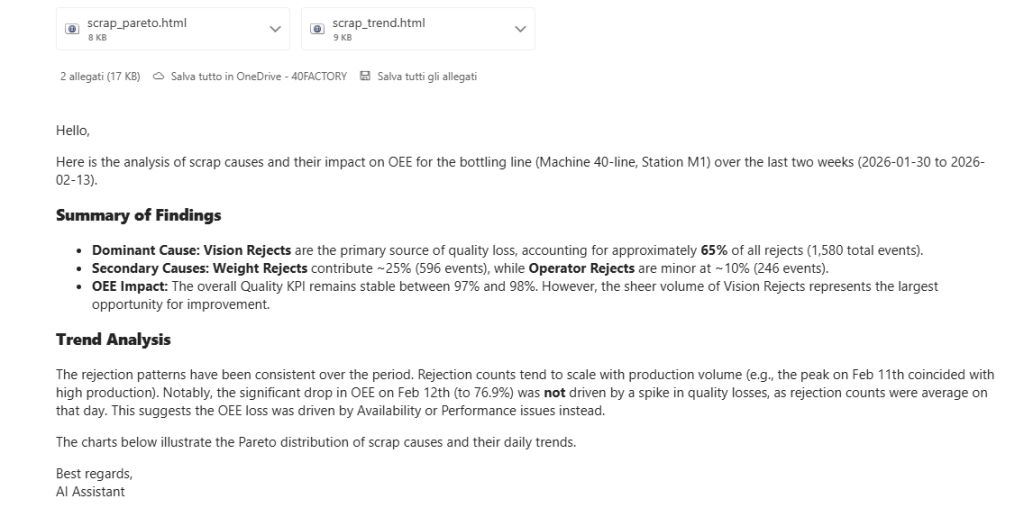
At the end, the outcome will be:
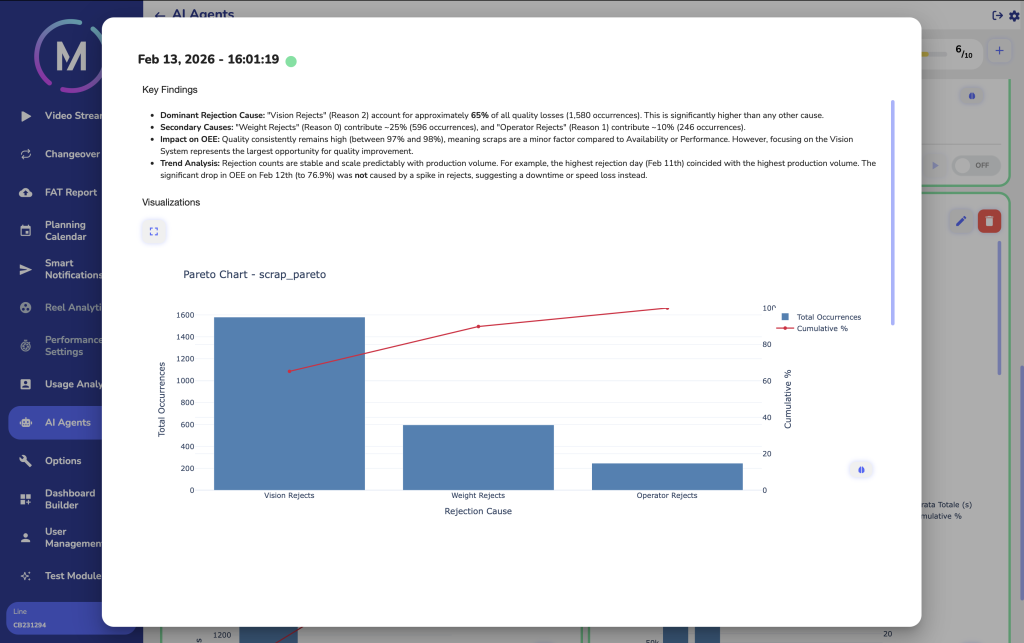
a natural-language report, easy to read and share
an email automatically sent to the production manager with the requested information
Scrap Analysis Report
Automatically Sent Email
Once the data and knowledge are properly set up, configuring AI Agents becomes quick and scalable: the same logic can be applied to dozens or even hundreds of machines, freeing up staff to focus on strategic production management.
The role of the Application Engineer proves crucial in ensuring the proper functioning and quality of software applications. Attentive listening is key to establishing a long-term, trusting relationship with the client.
The role of the Application Engineer proves crucial in ensuring the proper functioning and quality of software applications. Attentive listening is key to establishing a long-term, trusting relationship with the client.